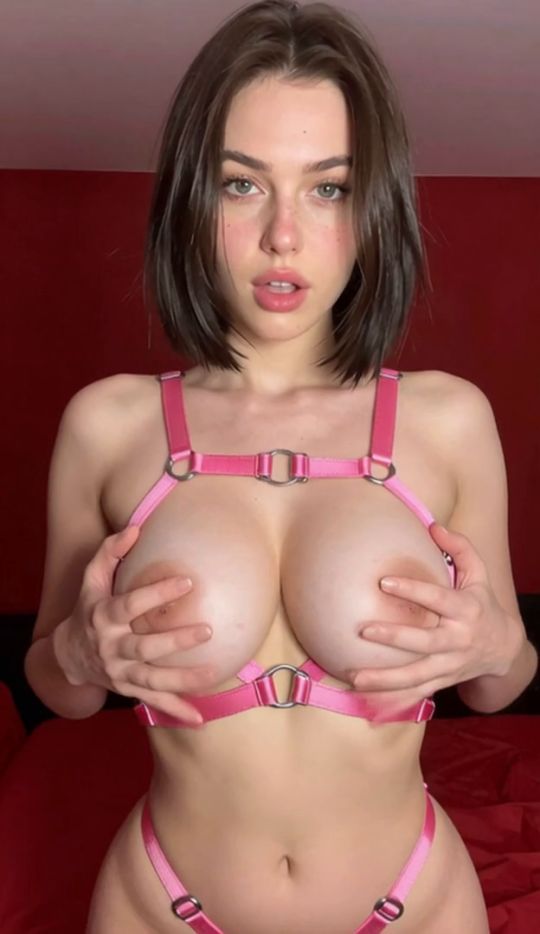
Bild hochladen
Ein klares Ausgangsbild mit sichtbarem Motiv wählen.
Mach aus einem Standbild ein AI-Bondage-Video. Lade dein Bild hoch, wähle die Bondage-Vorlage und lass die KI Bewegung ergänzen, während Aussehen und Stil der Figur erkennbar bleiben. AI BDSM und BDSM AI gehören hier natürlich dazu – die URL bleibt /template/ai-bondage/.
Ob du mit KI-Figuren experimentierst oder Varianten aus vorhandener Artwork machst: Der Ablauf bleibt Bild-zu-Video, ohne klassischen Schnitt.
Animierte Erwachsenen-Inhalte brauchten traditionell Produktion, Animationssoftware oder viel Schnitt. Bild-zu-Video ändert den Ablauf.
Mit der SpicyLab-Bondage-Vorlage beginnst du mit einem vorhandenen Bild statt einer Animation von Hand.
Lade ein Bild hoch, das du verwenden darfst, wähle die Vorlage; SpicyLab analysiert die Quelle und erzeugt einen kurzen Clip.
Der Prozess in drei Schritten:
Ein klares Ausgangsbild mit sichtbarem Motiv wählen.
Die vordefinierte Bewegungs- und Szenenrichtung anwenden.
Die KI macht aus dem Standbild einen animierten Clip.
Das hilft, AI BDSM zu erkunden, ohne jedes Frame von Hand zu bauen.
Ein gutes Ausgangsbild ist einer der wichtigsten Teile von Bild-zu-Video.
Der Generator nutzt Informationen im Upload – Figur, Pose, Ausschnitt, Licht, Umgebung – als visuelle Grundlage.
Du kannst mit einer KI-Figur, Illustration, gerendertem Artwork oder einem anderen unterstützten Bild starten, das du verwenden darfst.
Statt einer völlig fremden Figur versucht das System erkennbare Merkmale zu halten und Bewegung einzuführen.
Wer schon AI-Bondage-Bilder erstellt, bekommt einen natürlichen zweiten Schritt:
Bild erzeugen → Favorit wählen → hochladen → zum Video animieren.
So lassen sich mehrere Quellen vergleichen.
Klassische Animation bedeutet Frames, Keyframes, Rigs oder Bewegungssequenzen. Generative KI vereinfacht das deutlich.
Ein AI-BDSM-Generator kann ein Ausgangsbild interpretieren und vorhersagen, wie Elemente sich über die Zeit bewegen könnten.
Der kreative Ablauf wird deutlich schneller.
Statt Stunden in Animationssoftware kannst du dich auf Quelle und Varianten konzentrieren.
Die Vorlage kann als BDSM-AI-Generator und als Bild-zu-Video-Weg dienen.
Ergebnisse variieren. Komplexe Posen, ungewöhnliche Anatomie, verdeckte Körperteile und schwache Quellen machen konsistente Bewegung schwerer.
Ein klares, gut komponiertes Bild gibt dem Modell in der Regel bessere Information.
Start with a high-quality image containing a clearly visible adult subject. Avoid extremely blurry, heavily compressed, or unusually cropped images. Strong source images give the model more visual information to interpret.
Add your source image to SpicyLab's image-to-video generator. The system uses this image as the visual starting point for the generated video.
Choose the Bondage template from the available video templates. Using a dedicated template means you don't need to construct a complicated prompt describing every aspect of the animation.
Start generation and allow the model to process the image. Your source image is transformed into an AI bondage video with generated motion.
Watch the generated clip and check character consistency, motion, composition, and overall visual quality. AI generation is probabilistic, so creating another variation from the same image may produce a different result.
An AI bondage video generator removes much of the technical work traditionally associated with creating animated content.
Instead of manually producing an entire video, creators can use an existing image as their starting point.
This can be particularly useful for:
Animating existing AI-generated characters from a still starting image.
Turning static artwork into short video clips without timeline editing.
Testing different image-to-video concepts and comparing variations.
Creating variations from the same source character across generations.
Exploring different AI animation workflows in one product.
A dedicated BDSM AI video generator also provides a more focused workflow than attempting to build every generation from a completely blank prompt.
Both technologies can create AI video, but they approach the task differently.
Text-to-video starts primarily from written instructions. The model has considerably more freedom to determine the appearance of the character, composition, setting, and movement.
Image-to-video starts with an existing visual reference.
For creators who already have a character or image they like, image-to-video can provide greater visual direction because the source image establishes the starting composition.
That's particularly useful when using an AI BDSM video generator to animate an existing AI character rather than creating a completely new character every time.
The quality of your starting image matters.
Use a source image with a clearly defined adult subject, coherent anatomy, good lighting, and enough resolution for the model to interpret important visual details.
Simple compositions can also be easier for AI video models to animate consistently than extremely complicated scenes.
If the first BDSM AI video isn't what you expected, try generating another variation or changing the source image. Small differences in pose, framing, and image quality can substantially affect generated motion.
Experimentation remains an important part of AI video creation.
SpicyLab makes it possible to move from static AI artwork into short-form animation through a simple image-to-video workflow.
Upload your image, choose the template, and use the bondage AI generator to create an animated variation from your source image.
No timeline editing or traditional animation workflow is required.
Discover the broader adult AI generation experience.
Explore →Explore SpicyLab's broader image editing and video-generation toolkit.
Explore →Continue with another high-demand template landing experience.
Explore →Explore the related AI Blowjob template landing page.
Explore →SpicyLab ist für Erwachsene. Lade nur Inhalte hoch oder erstelle nur Inhalte, für die du Rechte und Erlaubnis hast – und nutze das Abbild einer anderen Person nicht ohne Einwilligung. Mehr in der Moderationsrichtlinie von SpicyLab.
Bild hochladen, Bondage-Vorlage wählen, individuelles AI-Bondage-Video über Bild-zu-Video erzeugen.
